SureGifts voucher help
Steps on
how to
create your PIN
Create a SureGifts account with the email address that received your voucher, then set a four-digit PIN to redeem it.
Visit your country's SureGifts website
Set up your PIN
- 01
Create or sign in to your account
If you are new to SureGifts, select Sign Up and register with the same email address where your voucher was sent. Enter the email verification code and follow the on-screen password requirements.
- 02
Complete your account details
Enter your details as shown on the registration page, then verify your phone number using the code sent by SMS.
- Enter your phone number without the leading zero. For example, enter 8012345678.
- The referral code is optional if you do not have one.
- Tick all required checkboxes before continuing.
- A phone number already used for another account cannot be used to create a new account.
- 03
Create your four-digit PIN
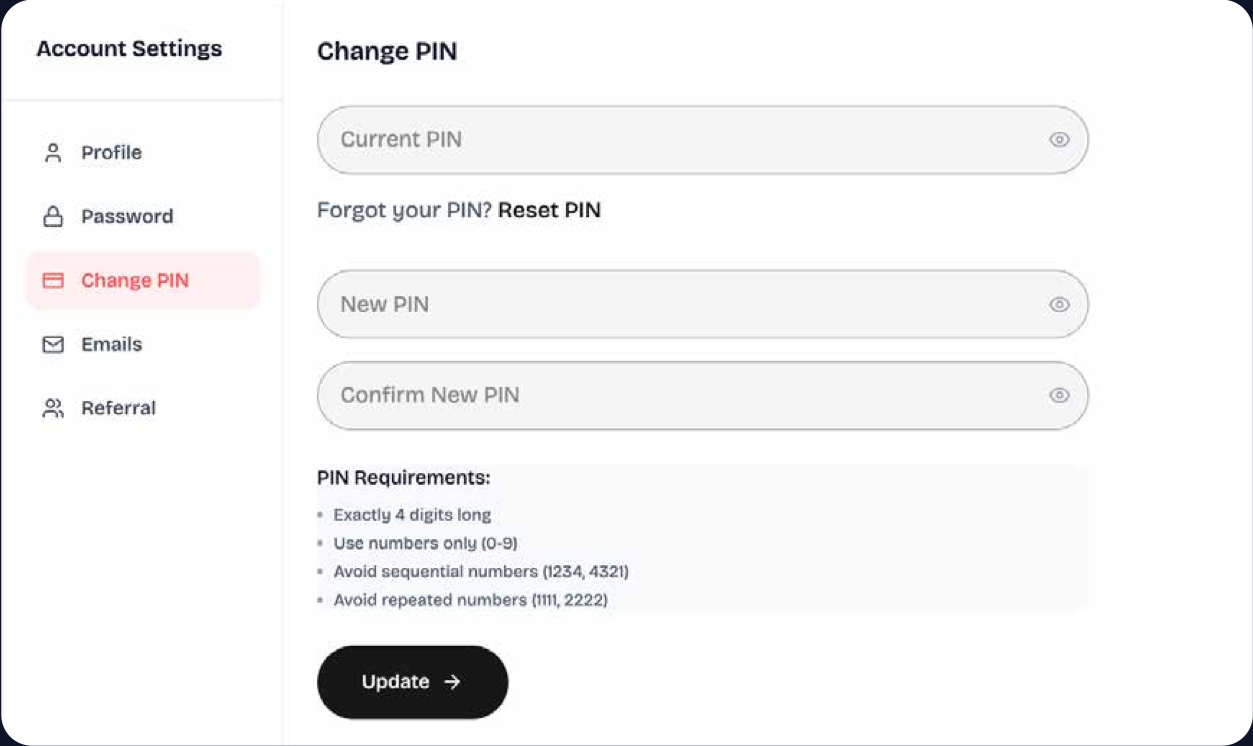
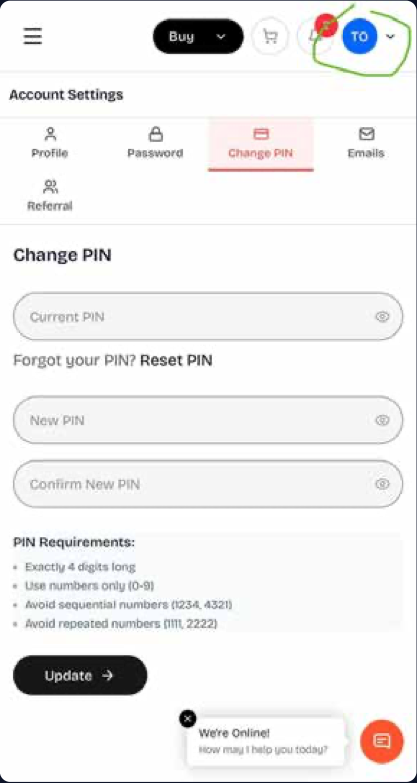
Select your profile initial at the top of the page, open Settings, and choose Create PIN. Enter your preferred four-digit PIN, confirm it, and submit.
- Use exactly four digits (0–9). Avoid sequences such as 1234 or 4321 and repeated numbers such as 1111 or 2222.
- Once your PIN is created, you can use it when redeeming your voucher.
PIN settings on desktop and mobile
Use these screenshots to find the PIN settings in your account.
Already have an account but forgotten your PIN?
Open your PIN settings and select Reset PIN to receive a default PIN for use.
Need more help?
Contact our support team for assistance.